
Site Pointers: Teach Verkos Detect Anything Agent What It Gets Wrong at Your Site
The Problem With AI That Doesn't Know Your Site
The system that flies a site on day one runs it the same way a year later. Meanwhile, the operator running it has spent that year learning every nuance of the ground.
Some of that knowledge never makes it into the model:
- A water-filled well gives off the same thermal signature as a shallow pond at night
- A maintenance shed can share the same outline as a parked vehicle from drone altitude
- Structures specific to your site don't appear in any general training dataset, so Verkos matches them to whatever they most resemble, and fires an alert
The operator dismisses it. The next flight, it fires again. Every flight after that, same thing. The false detection never stops because there's no way to put what the operator knows back into the system.
Site knowledge stays trapped in their head. The AI doesn't get sharper. The alert stream stays noisy.
Site Pointers closes that gap.
A Feedback Channel That Goes Directly Into the Model
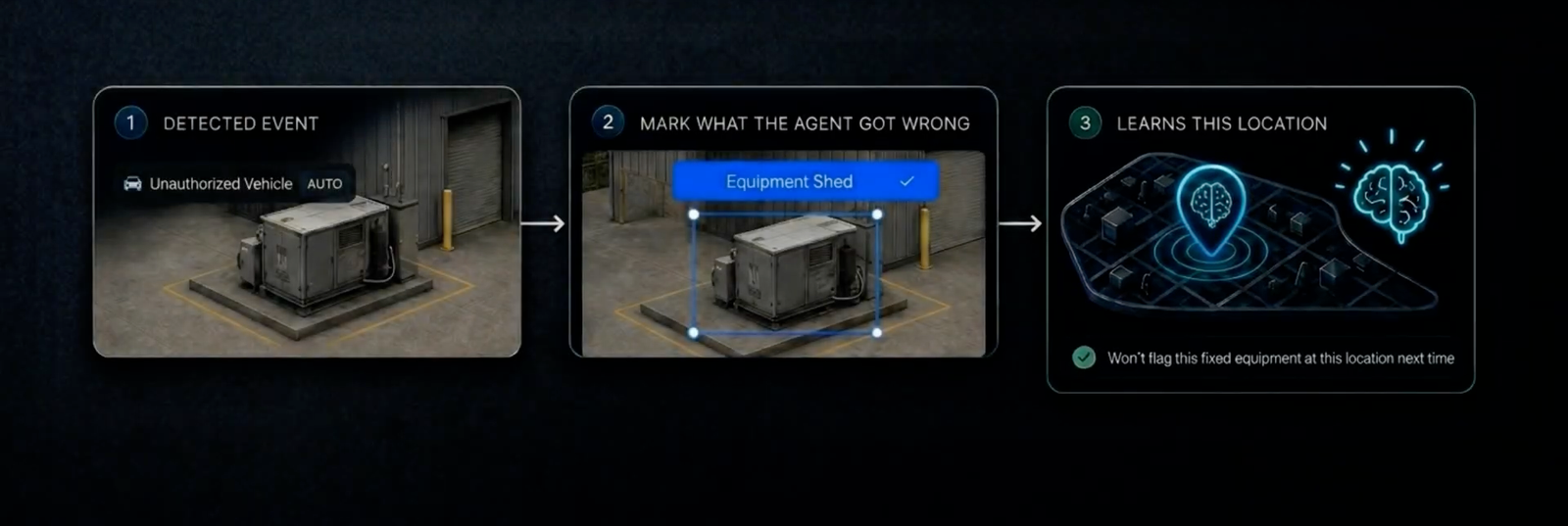
When Verkos Detect Anything reads a site object wrong, you now have a direct way to correct it. Open the image, draw a bounding box around the misclassified object, label what it actually is, and save. That correction binds to the GPS position of the source image and applies on every future flight that passes within a 100 m radius of that spot.
The teaching takes a moment. The result carries forward permanently, no retraining, no support ticket, no one outside your team.
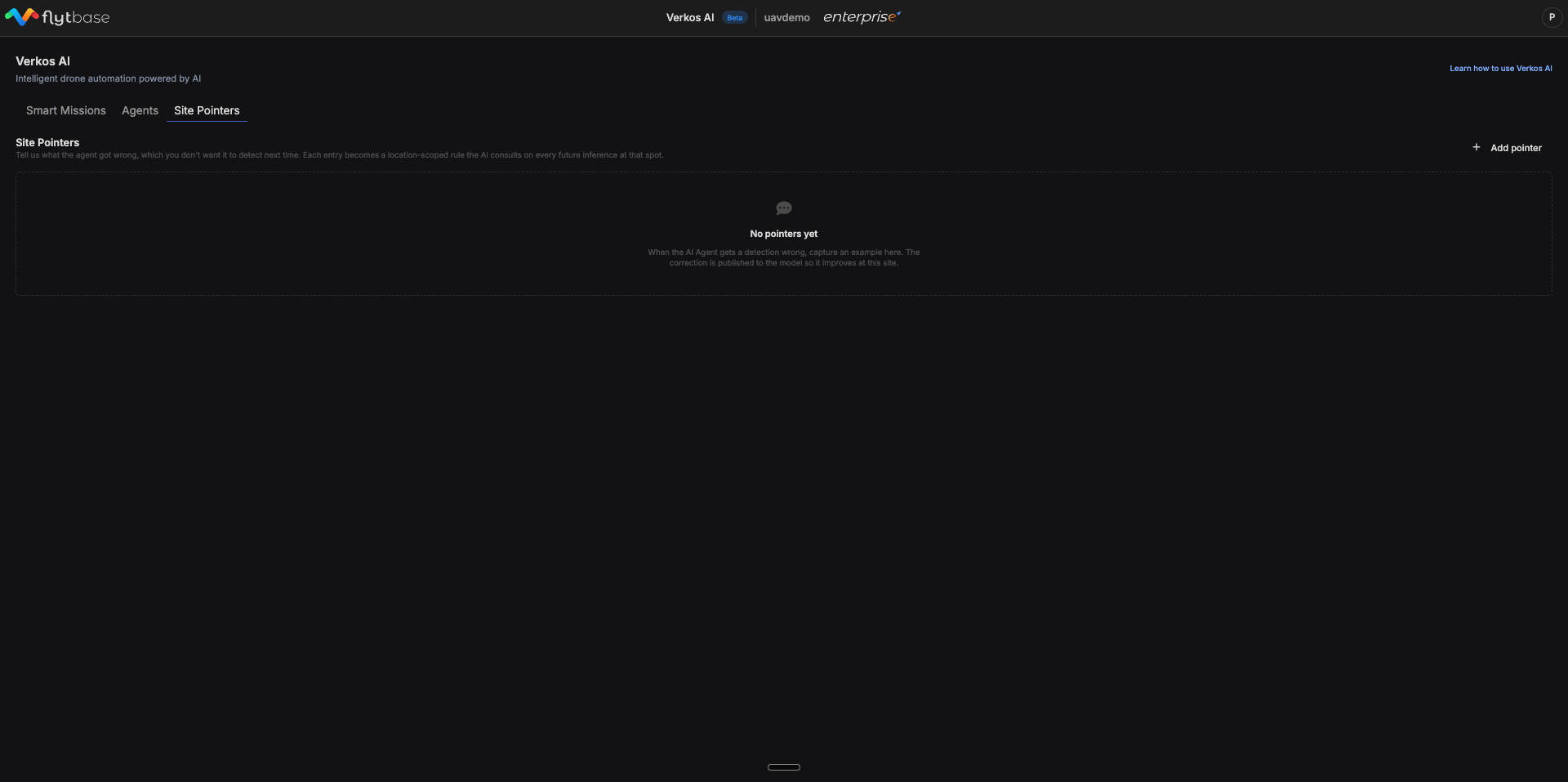
You'll find Site Pointers as a new tab on the Verkos AI page, alongside Smart Missions and Agents.
How the Correction Generalizes
Each pointer is geographically scoped to a 100 m radius around the GPS position of the source image. Within that radius, Verkos applies the correction regardless of how the drone arrived there:
- Waypoint missions
- Go To Location
- Manual flights
- Any future mission type that brings a drone through the area
Adding a Pointer
Step 1: Open Site Pointers and click Add Pointer
Navigate to Verkos AI → Site Pointers, then click + Add pointer in the top right.
Step 2: Select the site and pick an image
Choose the site from the dropdown. The image picker shows past detections from the Verkos Detect Anything agent at that site, grouped by date and location. A few things to know about the picker:
- Only images the agent has already analyzed appear here
- You cannot upload your own images or pull in images from outside Verkos
- Images are grouped by date and location for easier navigation
Pick the image where the agent got something wrong.
Step 3: Confirm what the agent detected, draw what it actually is
The Detected Event panel auto-fills with the original AI label from that image (e.g., "Industrial Towers"). Below it:
- Drag a bounding box around the object the agent misread
- Type a short label for what it actually is (e.g., "Green silos")
- Use the Redraw button to redo the box if your first attempt was off
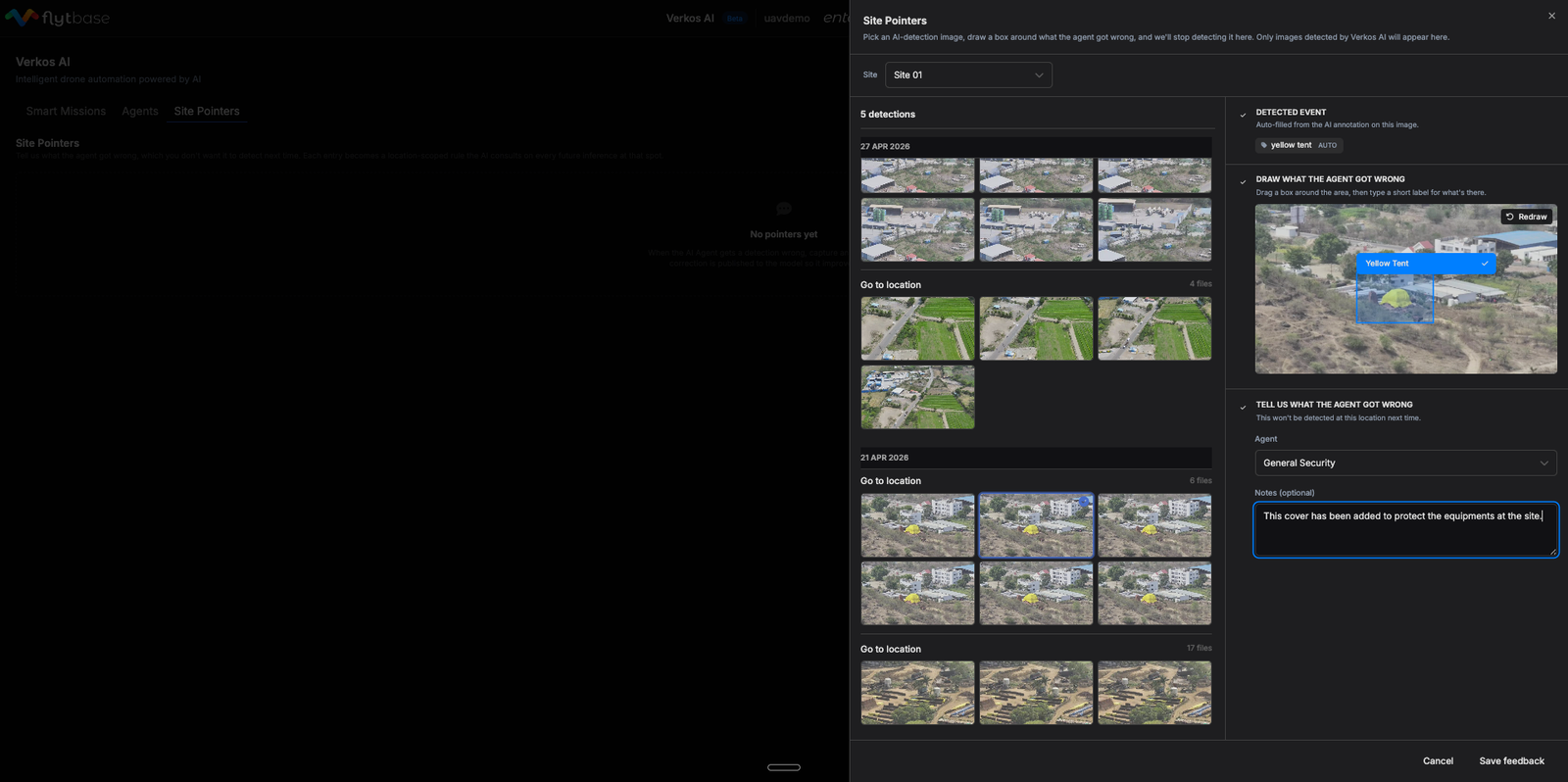
Step 4: Confirm the agent and save
In the Tell us what the agent got wrong section, select the agent the correction should apply to (Verkos Detect Anything). Add optional notes for your team's audit trail (e.g., "Please do not detect green silos").
Click Save feedback.
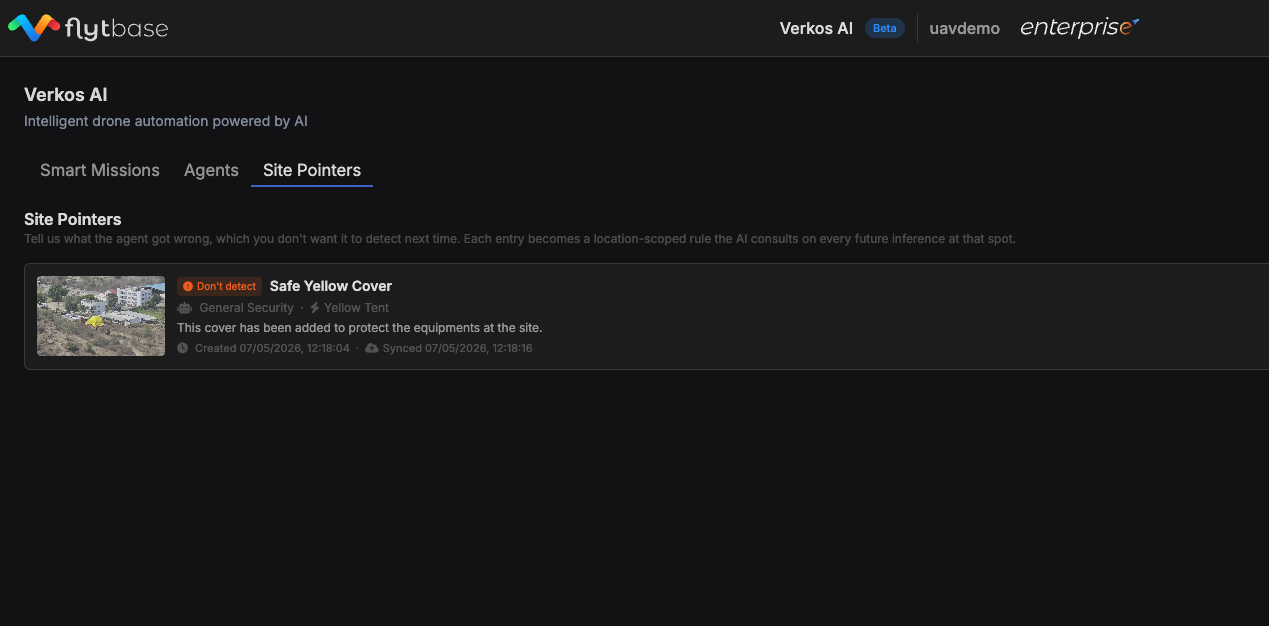
The pointer is now active. From the next flight onward, when any drone on this site passes within 100 m of the GPS position where the source image was captured, Verkos applies the correction.
Constraints & Requirements
| Constraint | Detail |
|---|---|
| Image source | Only past detections from the Verkos Detect Anything agent at the selected site appear in the picker. Normal drone-captured images cannot be selected. |
| Geographic scope | Each pointer applies within a 100 m radius of the GPS position where the source image was captured. |
Was this helpful?