
Enhanced API Access
Discover the streamlined and secure API authentication with FlytBase's Enhanced API Access.
API authentication on FlytBase previously required multiple steps to obtain access tokens. The process was error-prone, and managing API keys meant switching between external tools and the FlytBase dashboard.
Feature Introduction
Enhanced API Access simplifies how external services authenticate with FlytBase. This update adopts OAuth 2.0 for token exchange, reduces the number of steps to obtain API access tokens, and adds direct API key management from the FlytBase dashboard.
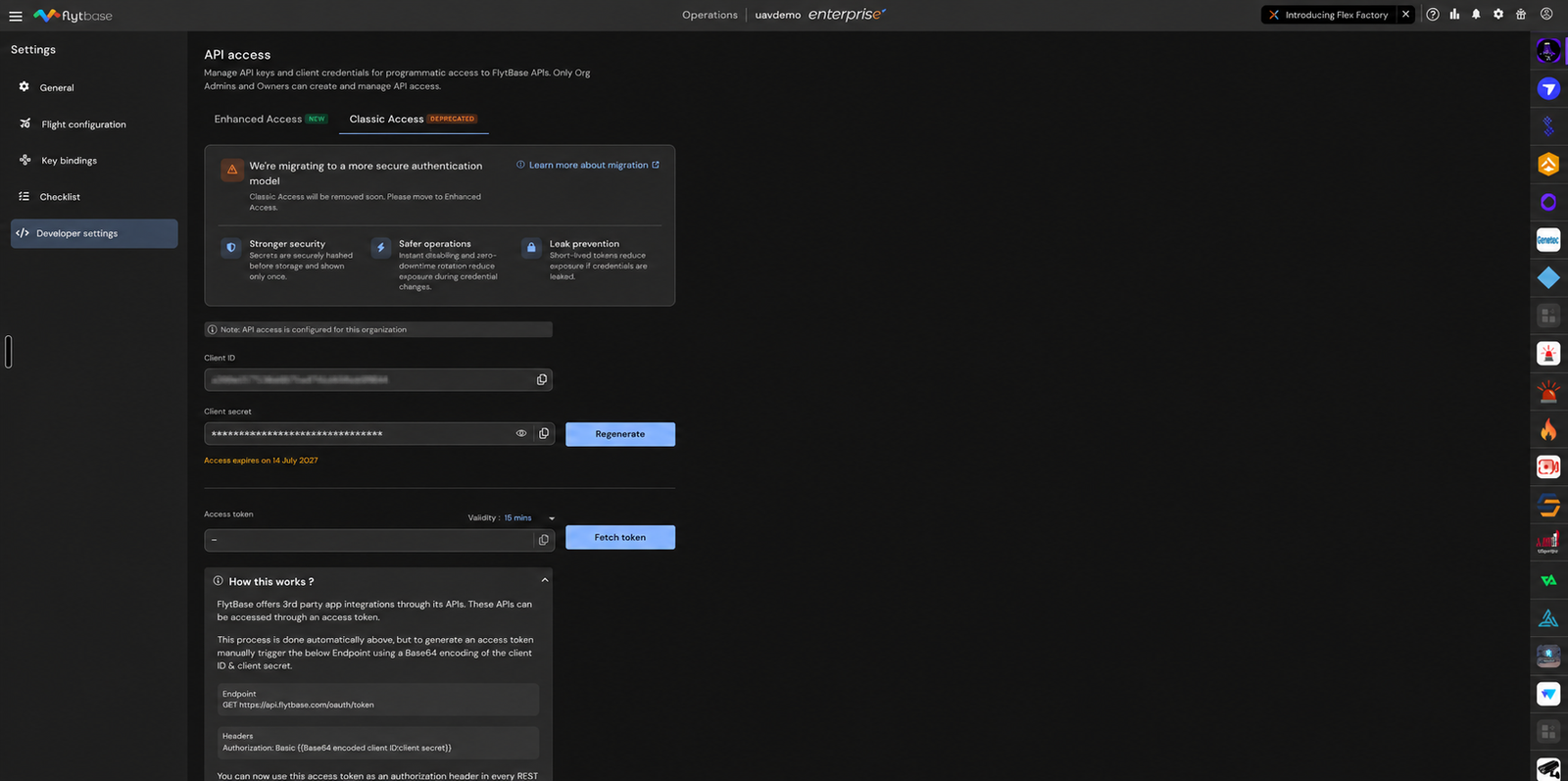
How It Works
Improved Authentication Flow
The new authentication flow uses OAuth 2.0 standards for secure, standardized token exchange. API keys can be created, rotated, and revoked directly from the FlytBase dashboard. No external tools are needed.
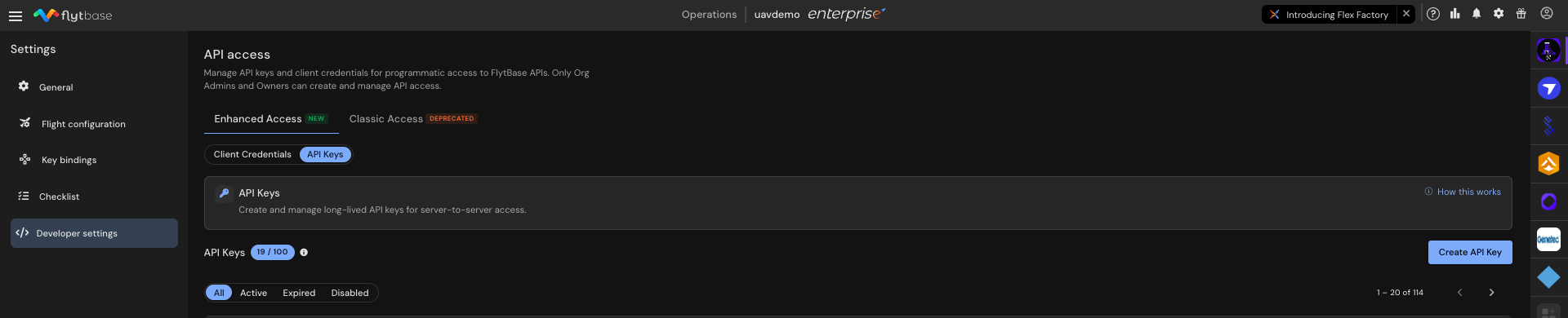
Security Enhancements
API keys and tokens use enhanced encryption methods to reduce the risk of unauthorized access. Key expiration dates are visible in the dashboard, and key rotation can be done without downtime.
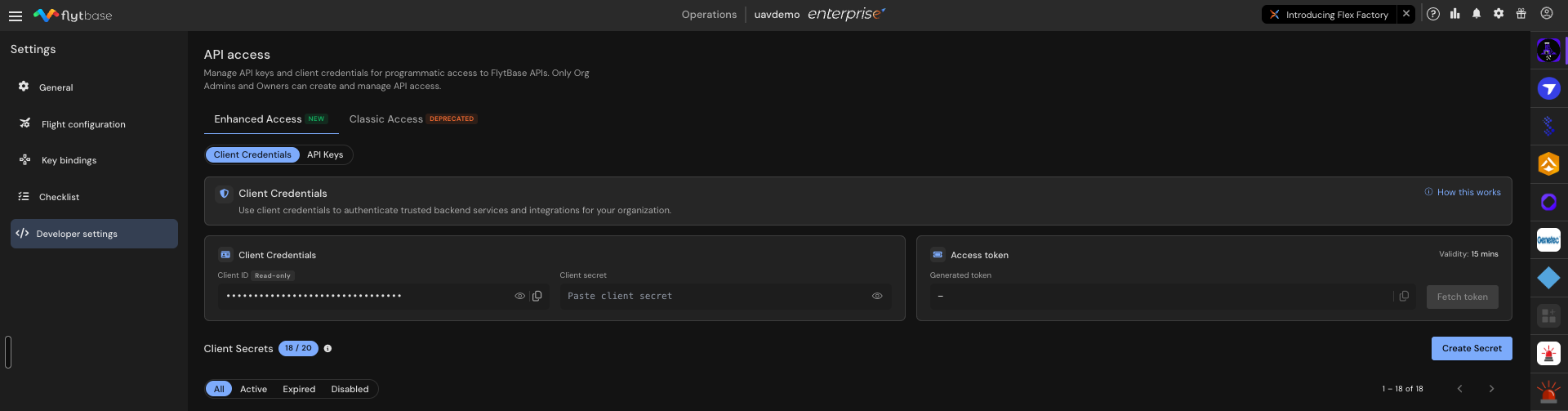
Transition from Classic Access
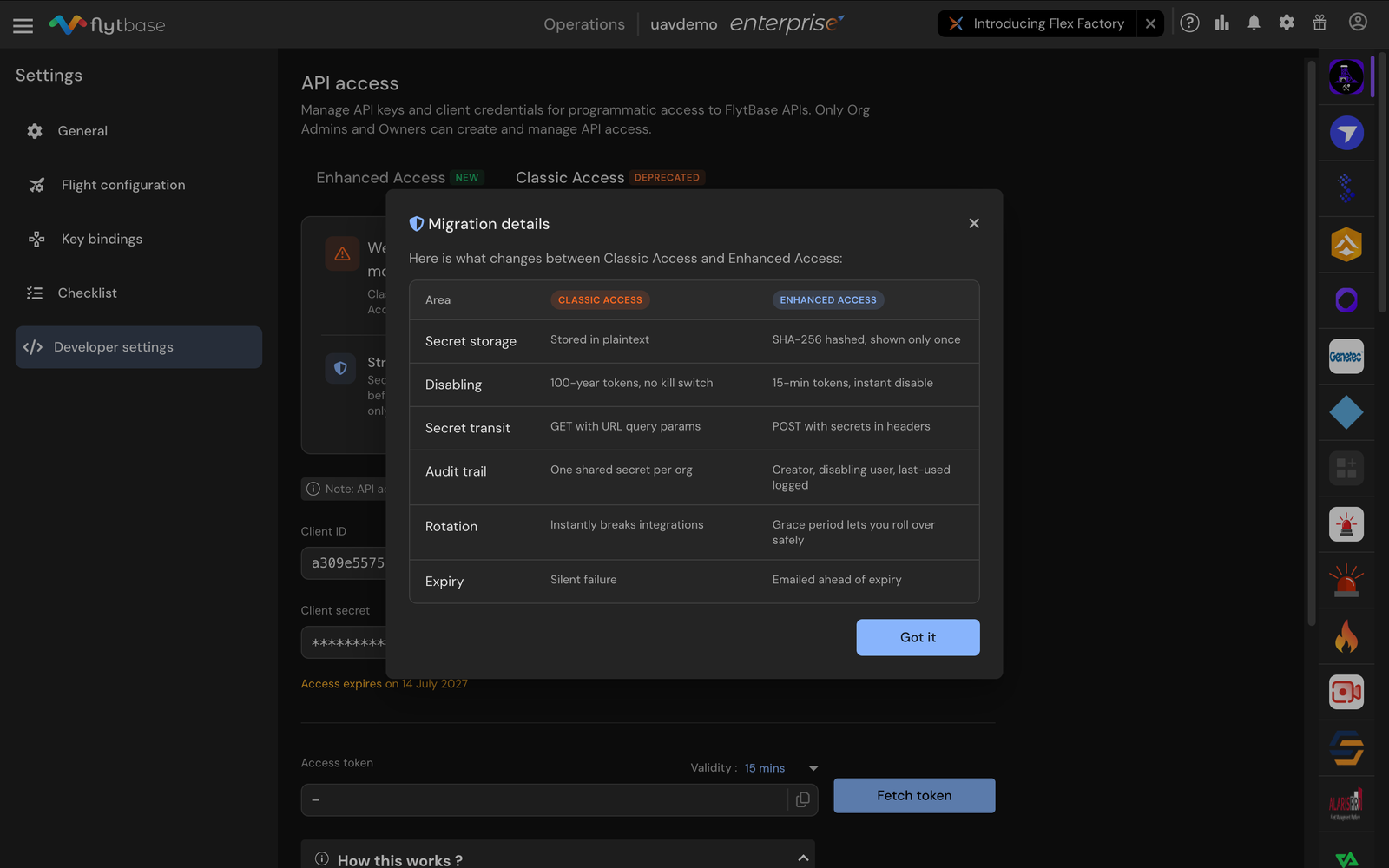
Classic Access settings are being deprecated. Enhanced Access provides stronger encryption, a standardized OAuth 2.0 flow, and centralized key management. Existing Classic Access users should migrate to Enhanced Access.
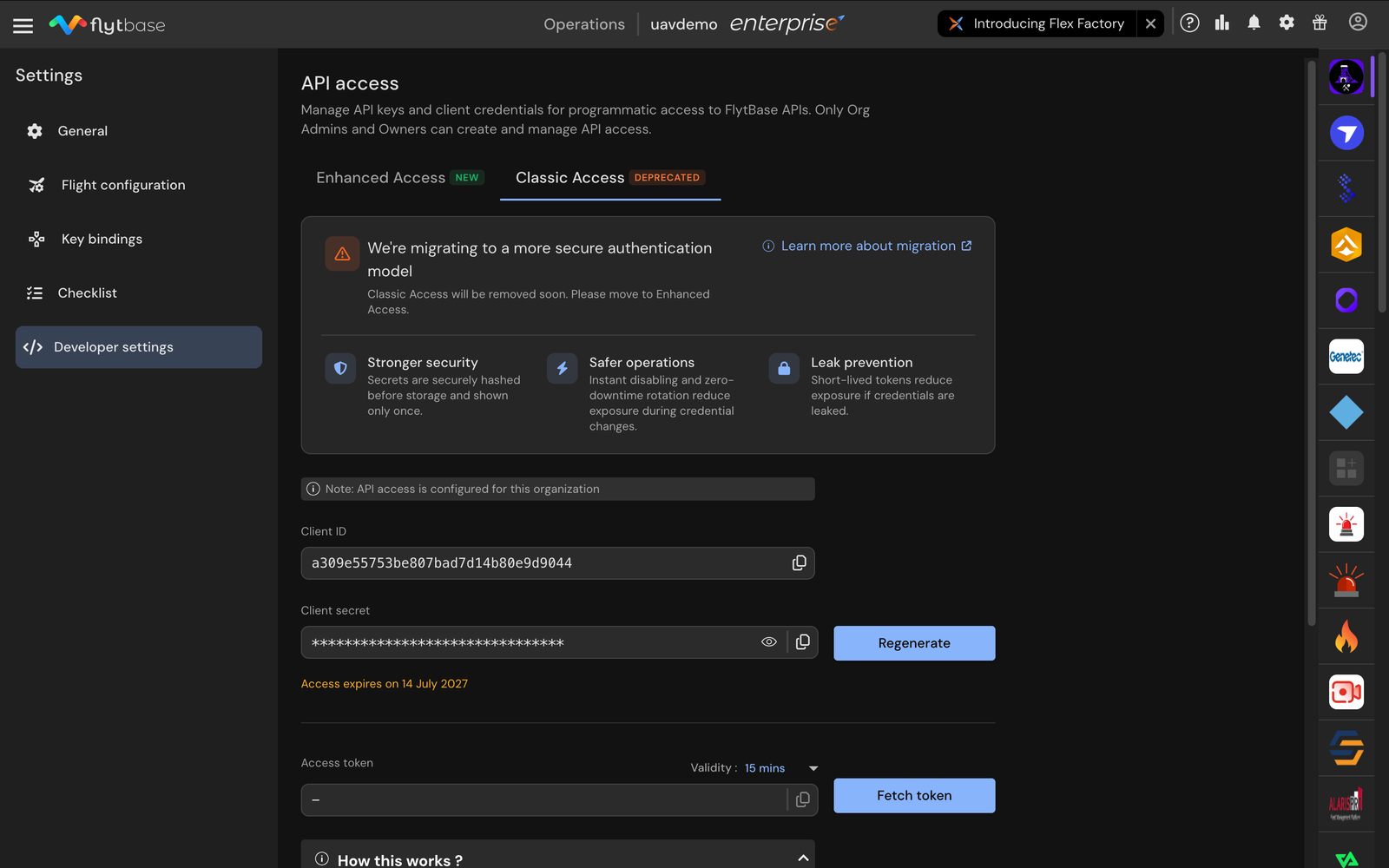
Why This Matters
Simpler authentication reduces integration errors. Centralized key management means fewer security gaps. OAuth 2.0 compliance makes FlytBase compatible with standard API integration workflows used across enterprise environments.
Step-by-Step Walkthrough
Step 1: Access the FlytBase Dashboard
Log in to the FlytBase dashboard. Verify that your account has permissions to manage API keys and access tokens.
Step 2: Manage API Keys
Navigate to the API Keys section. View existing keys, their statuses, and expiration dates. Select Create API Key to generate a new key.
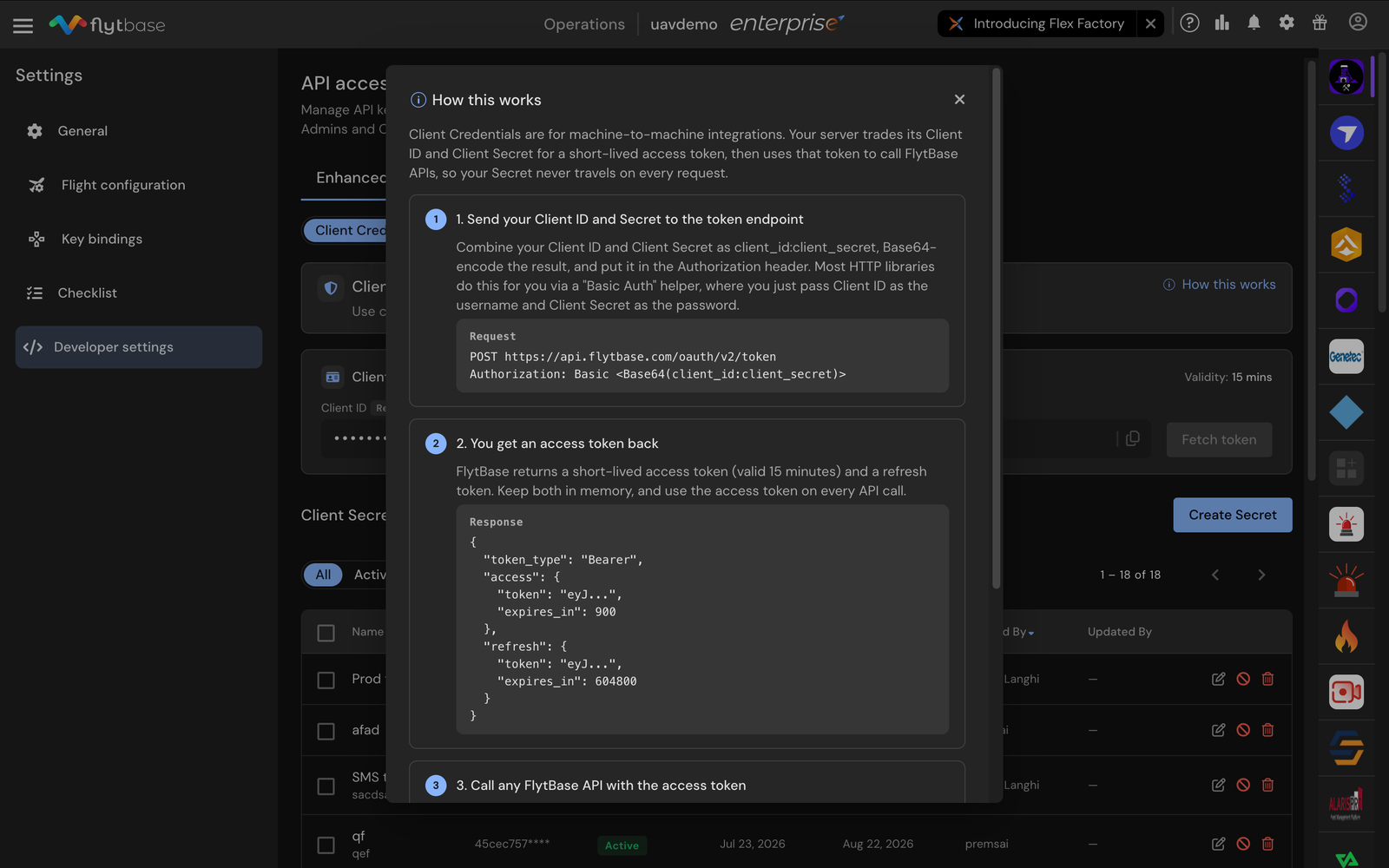
Step 3: Understand How API Keys Work
Review the modal that explains the process of creating, sending, and using API keys in requests.
Step 4: Use Client Credentials for Access Tokens
For server-to-server communication, use client credentials to obtain access tokens. Follow the steps in the modal to send credentials and receive tokens.
Step 5: Transition from Classic Access
If migrating from Classic Access, review the migration details and security improvements before switching.
Constraints & Requirements
| Component | Details |
|---|---|
| Authentication Protocol | OAuth 2.0 |
| Security Features | Enhanced encryption for API keys and tokens |
| Dashboard Integration | Direct API key management |
Access
Enhanced API Access is available to all FlytBase users. To enable this feature, contact FlytBase support through the official website. Ensure your account has the permissions required to manage API keys and tokens. For migration assistance from Classic Access, reach out to your Technical Account Manager or support@flytbase.com.
Was this helpful?