
External Camera Streaming + Video Wall Layouts
Integrate external cameras into FlytBase Video Wall for comprehensive monitoring.
The Problem
FlytBase previously displayed only drone video feeds. Operators with existing camera infrastructure (building CCTV, perimeter cameras, or fixed surveillance feeds) had to use separate interfaces to monitor those alongside drone operations. This split view made it harder to maintain full situational awareness during missions.
Feature Introduction
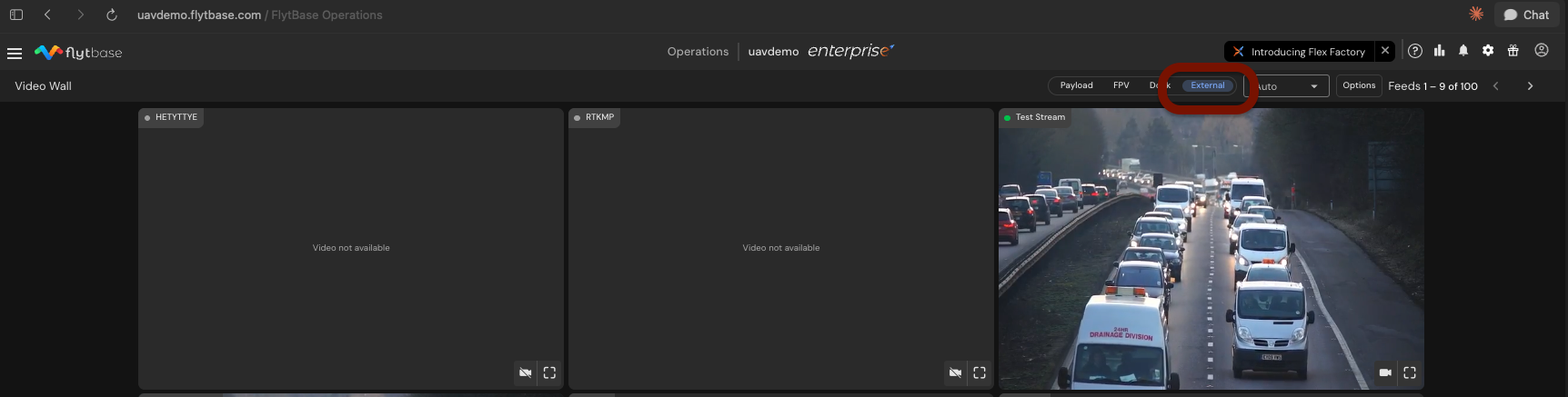
FlytBase now supports integrating external fixed cameras into the platform. External video sources appear alongside live drone feeds on the Video Wall. Layout controls allow operators to choose grid sizes, reorder tiles, and spotlight specific feeds.
Why This Matters
This integration consolidates all video feeds, drone and fixed camera, into a single interface. Operators monitoring construction sites, industrial facilities, or security perimeters no longer need to switch between systems. Unified visibility reduces response time and simplifies multi-source surveillance workflows.
Step-by-Step Walkthrough
Step 1: Add Cameras Manually
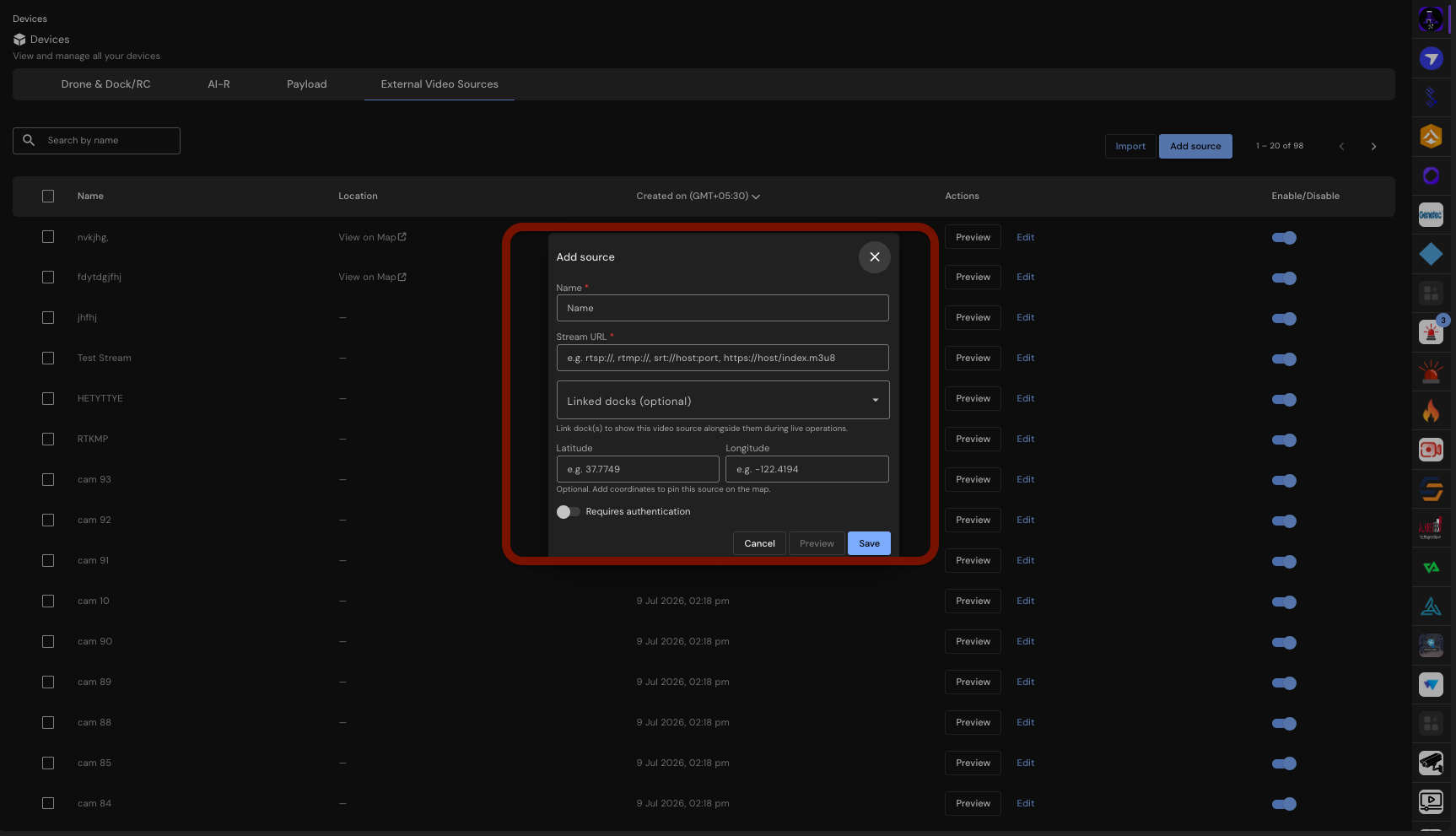
Navigate to Verkos AI > Site Pointers and select Add source. Enter the camera name, stream URL, and optional coordinates.
Step 2: Bulk Add Cameras with CSV Import
For large deployments, prepare a CSV file with camera details and upload it. The system reports any errors encountered during import.
Step 3: Integrate with Milestone XProtect
If using Milestone XProtect, auto-discover and import cameras directly from the VMS server. This simplifies onboarding for organizations already using XProtect.
Step 4: Customize Your Video Wall Layout
Select a grid layout: Auto, 2x2, 3x3, or 4x4. Drag tiles to reorder feeds and spotlight specific cameras to prioritize critical views.
Step 5: Manage and Control Your Cameras
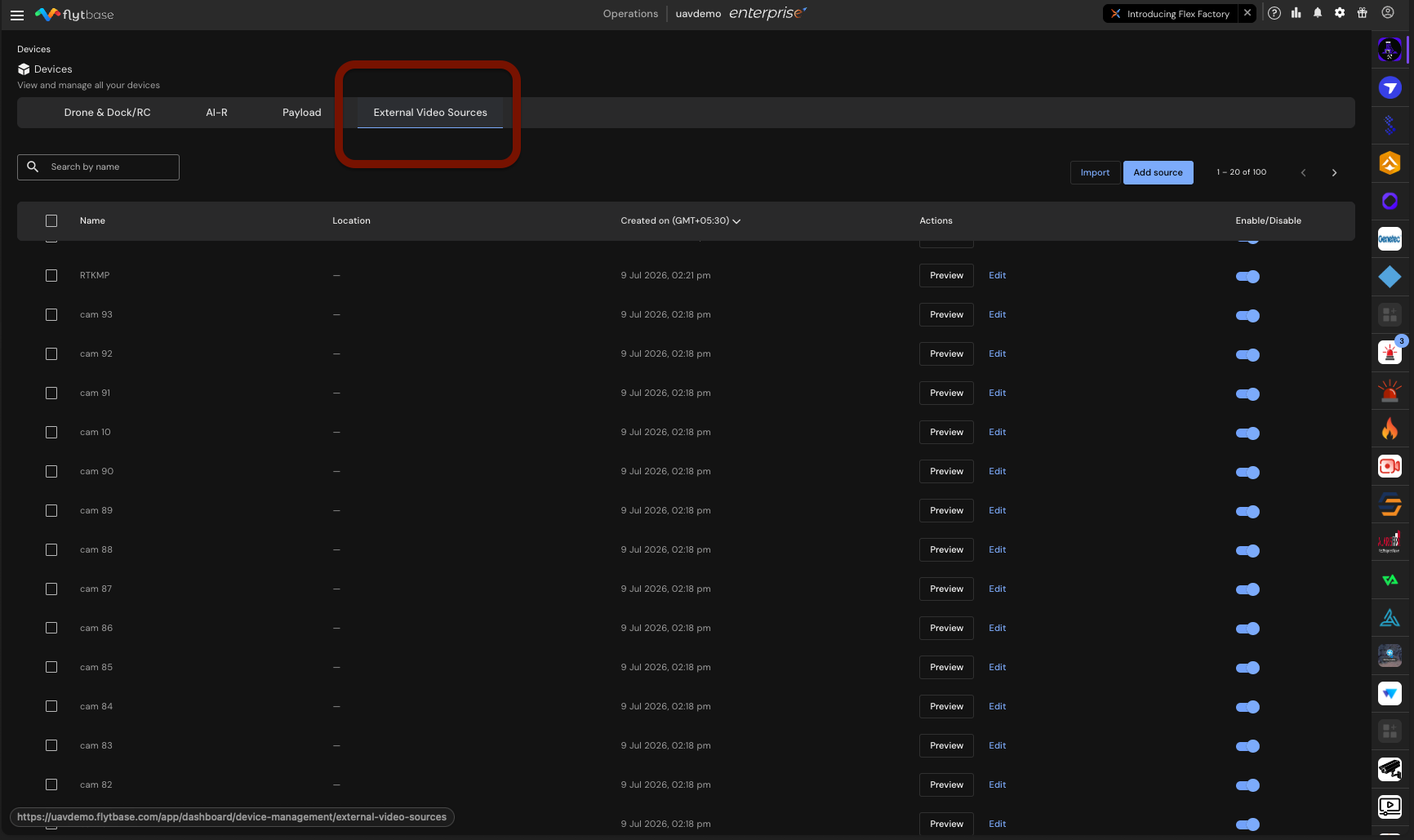
In the External Video Sources tab, enable or disable cameras as needed. Configuration settings are preserved when a camera is disabled.
Constraints & Requirements
| Component | Details |
|---|---|
| Stream Types | RTSP, RTSPS, RTMP, RTMPS, SRT, HLS |
| Capacity | Up to 100 cameras per organization |
| Camera Credentials | Optional per camera; stored encrypted |
| SRT Addresses | Must include a port number |
| HLS Addresses | Must point at an .m3u8 playlist |
| VMS Integration | Milestone XProtect (requires API Gateway address and basic user) |
| Video Wall Layouts | Auto, 2x2, 3x3, 4x4 |
| Layout Persistence | Remembered per browser, not per account |
Access
External camera streaming and Video Wall layouts are available to organizations with the external_video_sources feature flag enabled. Contact your FlytBase product or engineering team to activate the flag. This feature is available on request and is not enabled by default.
Was this helpful?